
Press and media
Sollestro is an AI assistant editor for DaVinci Resolve Studio. You brief it in plain English and it builds a finished first cut on the Resolve timeline, and in Photo mode it selects the keepers from thousands of stills. Below are the facts, the founder story, a press Q and A, and how to reach us. Press contact: [email protected].
What it is
Sollestro is an AI assistant editor for DaVinci Resolve Studio. The user writes a brief in plain English, the way they would brief a real editor, and Sollestro builds a finished first cut straight onto the Resolve timeline: clips chosen, ordered and trimmed, B-roll laid over the interviews, cuts synced to the music. The editor then refines and finishes as normal. It does the tedious assembly pass; the human keeps the craft.
Photo mode does the same for stills: pointed at thousands of photos, it selects the keepers. Verdicts land as Resolve flags plus a Keepers bin, ready to filter on Resolve 21's new Photo page, or as XMP colour labels and star ratings for Lightroom, Capture One and Bridge. As far as we know, it is the first AI photo selection built for DaVinci Resolve.
Why it is different
- A massive time saver. Hours of footage, or thousands of photos, become a first result in about two hours or less, whatever the size of the project, and most of that time Sollestro runs unattended while the editor does other work.
- Brief in, result out. No timeline-by-timeline supervision, no template. A plain-English brief in, an edited timeline or flagged keepers out.
- Own it, do not rent it. A one-time licence in a market of subscriptions, and one licence covers two machines. It runs on the user's own Claude API key with no markup, so the AI cost is typically $2 to $10 per project, paid directly to Anthropic.
The facts
- Requires: DaVinci Resolve Studio. Windows fully shipped; the macOS build installs and activates, with one licence covering both platforms.
- Pricing: $199 one-time perpetual licence (all updates included, one licence for up to 2 machines), or $19 per month, or $149 per year. 14-day free trial, 30-day money-back guarantee.
- Status: just launched, early days. Development is active and public at the changelog.
- Latest update (July 2026): sharper photo selection, higher-detail analysis that catches closed eyes and focus misses, an honest keep, maybe and reject confidence system, a second AI pass that double-checks the keepers with side-by-side burst comparisons, a coverage check so no key moment from the brief is missed, and Learn from my corrections, which updates the user's style profile from their own flag changes.
The founder
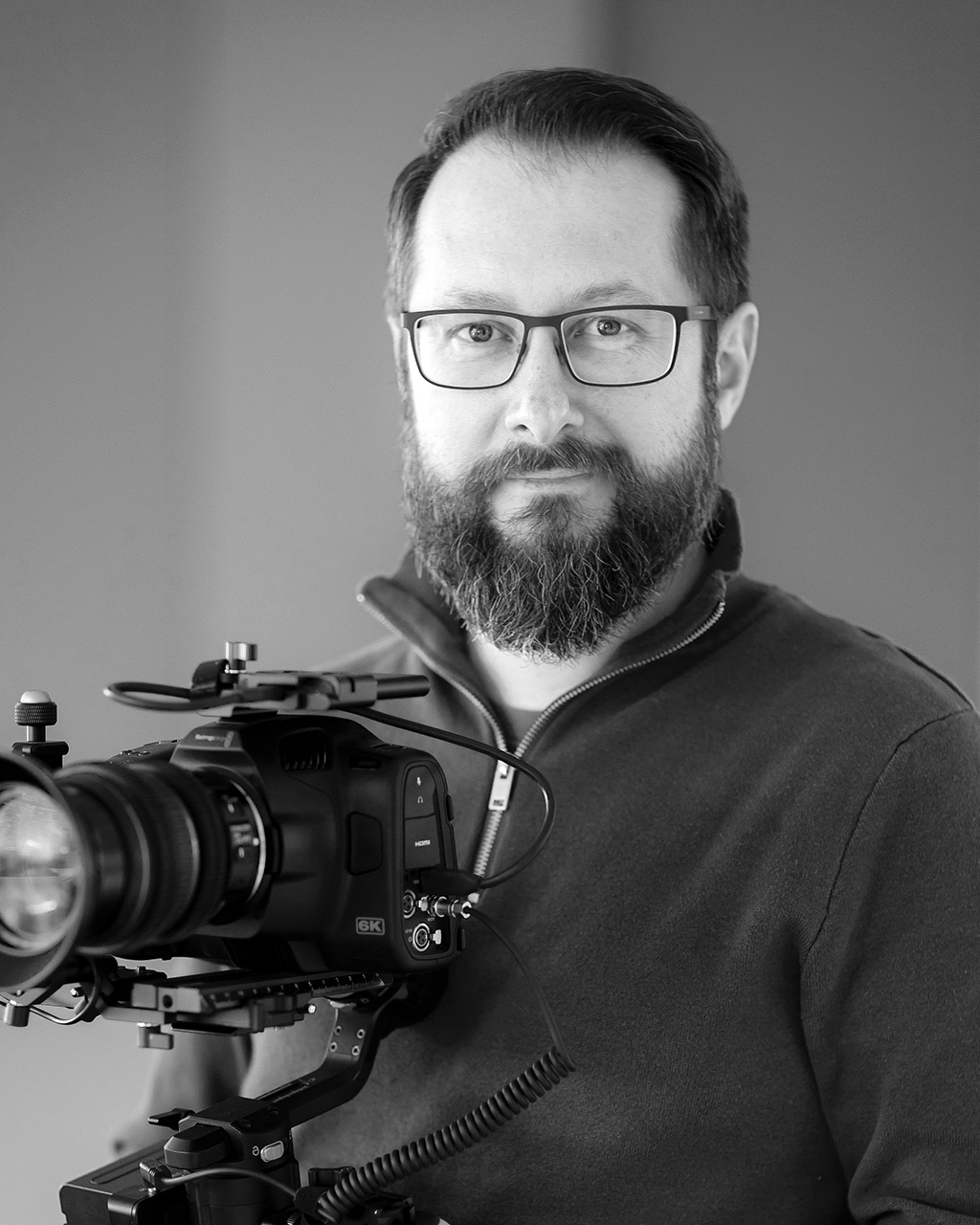
Lucian Paraian is a commercial photographer and videographer based in Hampshire, UK, shooting professionally since graduating in Journalism in 2004. His client work includes Barratt Homes, David Wilson Homes, Bargate Homes, Damira Dental Studios, TentBox, The Hinds Head in Bray, Winchester College, Yellow Tail wines, UPOWA and Aurora soft toys.
He built Sollestro for himself first. He loves planning a shoot, filming and colour grading; the first assembly pass, not so much. Hiring editors never quite worked, there was always something missing, and AI finally made the alternative possible. Photographers, meanwhile, lose whole evenings to selecting keepers, and no tool did it from a plain-English brief. So he blended the two answers into one tool.
The name comes from the Latin sollertia (skill, ingenuity, cleverness) crossed with maestro.
I built it because I am a lazy editor. I love planning, shooting and grading; the first assembly pass I would happily never do again. Now I do not.Lucian Paraian, founder
For journalists
- Review licences available on request, no strings.
- Founder photo, logo and screenshots available on request: [email protected].
- Lucian is available for interviews and honest conversations about AI in real production workflows, including where it falls short.
- An 80-second demo film is coming soon.
Press Q and A
What is Sollestro?
Sollestro is an AI assistant editor for DaVinci Resolve Studio. You write a brief in plain English and it builds a finished first cut on the Resolve timeline: clips chosen, ordered and trimmed, B-roll over interviews, cuts synced to the music. Photo mode does the same for stills, selecting the keepers from thousands. The human refines and finishes; Sollestro does the tedious assembly pass.
What makes it different?
Three things. It is a massive time saver, a first cut or a full photo selection in about two hours or less whatever the size, mostly while you get on with other work. It is brief in, result out, with no timelines to supervise and no templates. And you own it once, on your own Claude key with no markup, instead of paying another monthly subscription.
Is it really the first AI photo selection for DaVinci Resolve?
As far as we can find, yes. Resolve 21's own Photo page has flags, star ratings and AI search, but it does not judge and select your keepers from a brief, and no rival tool was found doing that inside Resolve when we checked in July 2026. We re-verify before we repeat the claim, and we never state a bare first ever.
Who is it for?
Videographers and photographers who work in DaVinci Resolve, from corporate and brand film to weddings, events and social, and photographers who lose evenings to selecting keepers. The strongest fit is the freelancer who both shoots and edits.
Who built it, and why?
Lucian Paraian, a commercial photographer and videographer in Hampshire, UK. He loves planning, shooting and grading, but not the first assembly pass, and hiring editors never quite fit. AI made the alternative possible, and photographers had the same problem selecting keepers, so he built one tool for both.
How much is it, and what does it need?
A $199 one-time licence with all updates included and one licence covering two machines, or $19 a month or $149 a year. There is a 14-day free trial and a 30-day money-back guarantee. It requires DaVinci Resolve Studio. Windows is fully shipped; the macOS build installs and activates, and one licence covers both.
Does it replace the editor or the photographer?
No. It does the slow first assembly or the first selection pass, then you refine and finish and keep full creative control. It gives you your time back, not your judgement.
Are my footage and photos private?
Your footage and photos stay on your machine. Only small frame samples, short transcripts and downscaled previews go to the Claude API under your own key, and Anthropic does not train on that by default.